01
Notice what keeps happening
Use an assessment to explore how you lead, make decisions, or work with others.

Your loyal companion
Leadership development for the decisions and conversations ahead. Learn about your habits. Get nudged to try a different approach. See the impact.

How it works
Choose something you want to work on. Prepare for it, put it into practice, analyze the impact and make changes.
Use an assessment to explore how you lead, make decisions, or work with others.
Watson and short interventions help you prepare for the conversation or decision ahead.
Review the impact, modify the decision. Use that to choose your next step.
Your Development path keeps your goal, assessments, experiments, and reviews together. Ask Watson when you need help thinking something through. Use Team to explore how people work together.

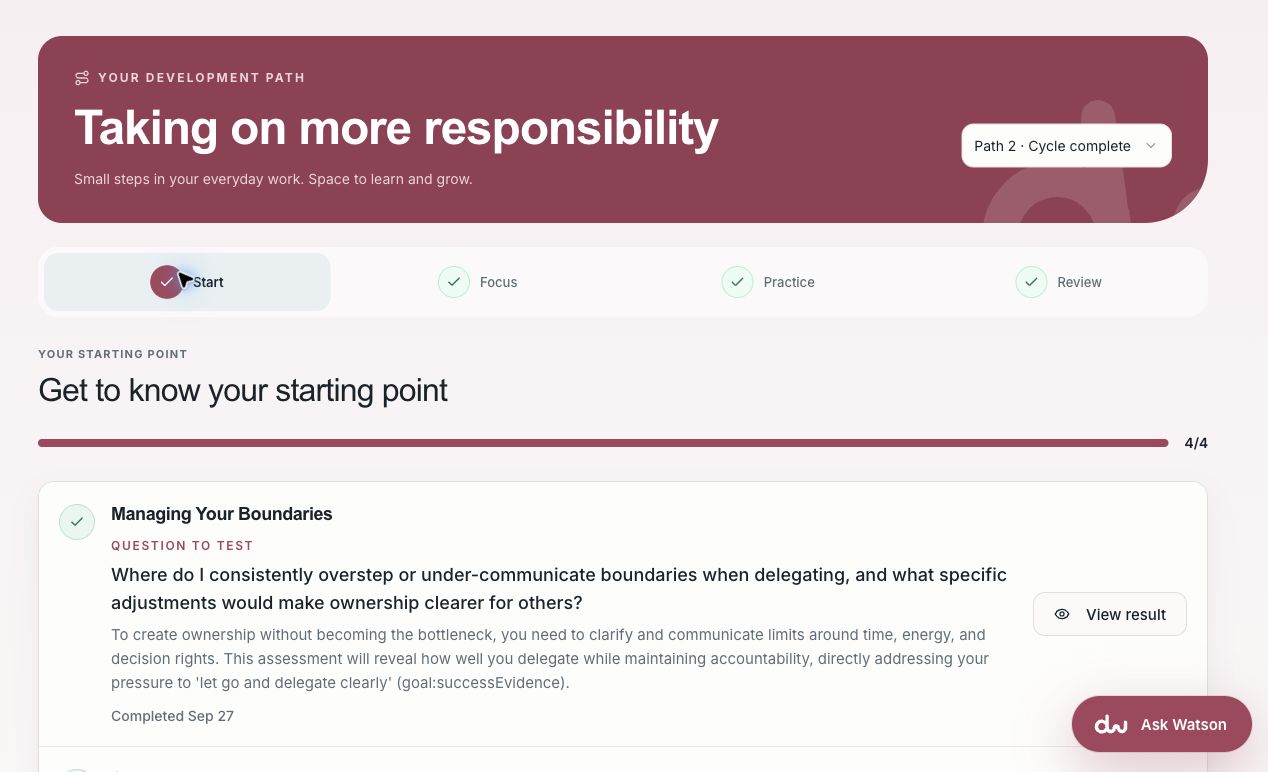
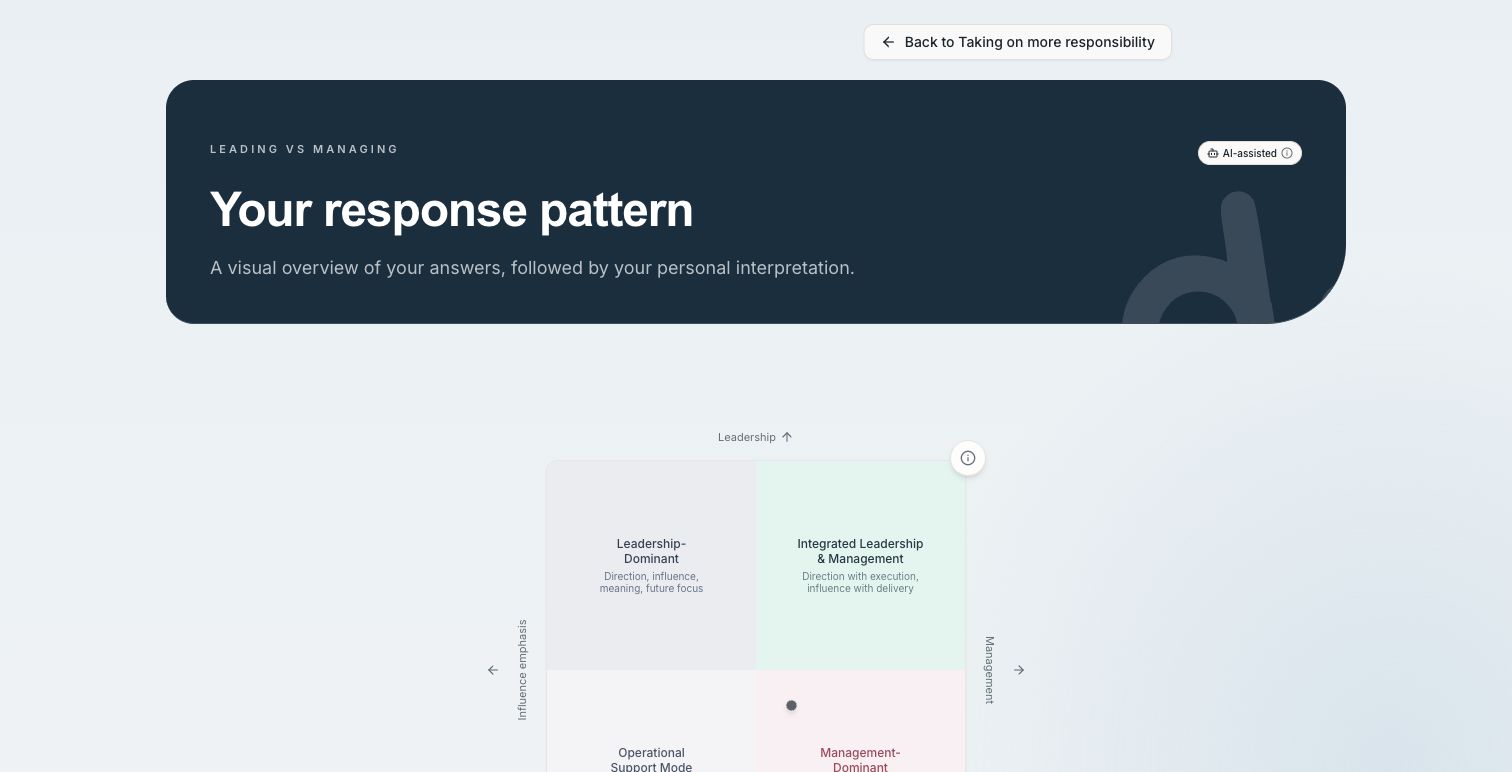
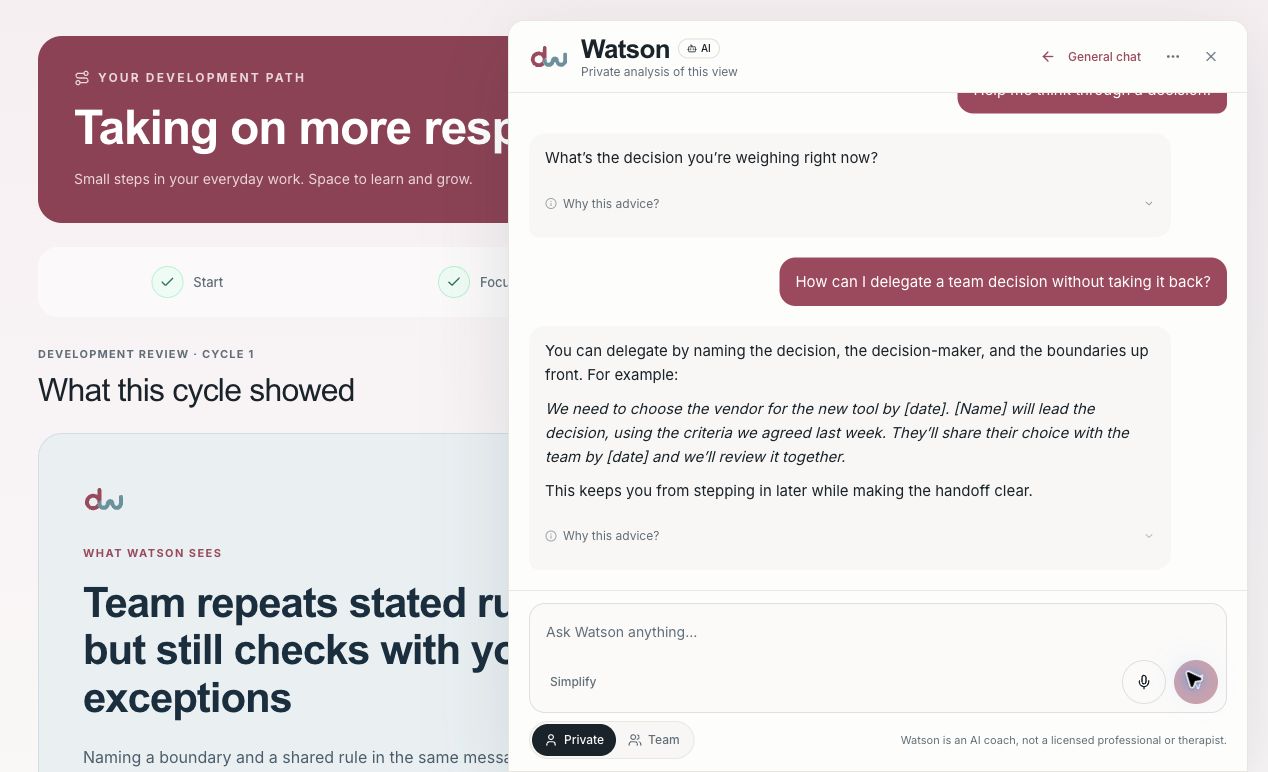
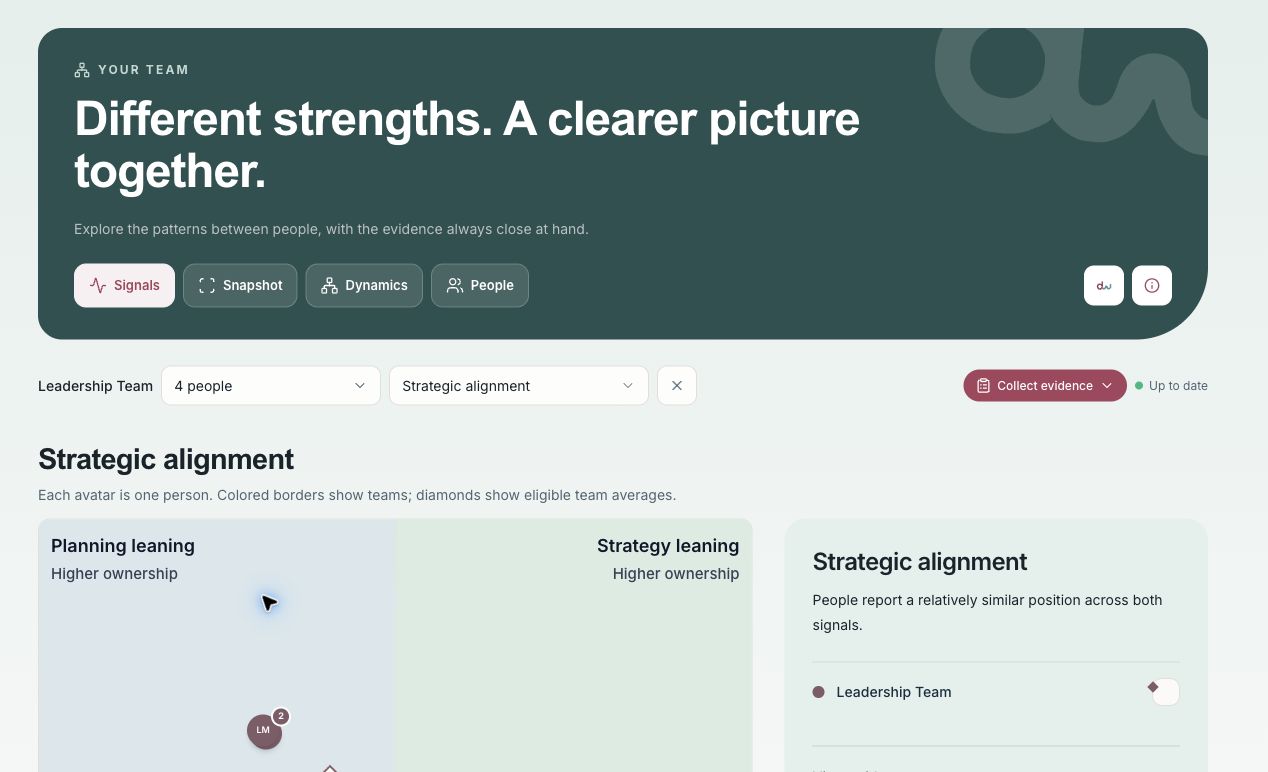
Real platform screens, shown with example data. Use the arrows to explore at your own pace.
Look more closely at meetings and working relationships.
See where people aligned, talked past one another, or left tensions and decisions unresolved.
Explore Meeting IntelligenceSee how two working styles may meet and where a different approach could help.
Explore Stakeholder MatchPeople work on their own goals, leaders explore team patterns, and HR coordinates development with access shaped by each role.
Understand your patterns and practice a better response in the moments that matter.
Explore individual developmentSee shared patterns and start a more useful team conversation.
Explore team leadershipCoordinate development across groups with access tailored to each role.
Explore organization supportAn assessment may help you understand a habit. Tuesday's meeting is where you get to try changing it. DearestWatson gives you a place to prepare, ask for help, and reflect afterwards.
Explore what we help withTaking on a new role? Working through a team problem? Leading a change? Start with the situation you need to handle, then choose what to practice.
More responsibility often means changing how you work with people. Start by understanding the habits you bring to the role.
Choose a goal, use your assessments to set a focus, and prepare with behavioral experiments and Watson. After you try it at work, come back to review what happened.
Explore a development pathSome decisions keep coming back to you. Others get stuck between people. Team helps you explore what may be behind them.
Look at shared themes in Signals, compare responses in Snapshot, explore relationships in Dynamics, or open a profile in People. Use what you find to choose what to work on together.
Talk about your teamA new strategy asks people to work differently. They need a chance to practice what that means in their own role.
Give leaders a Development path tied to the change. Use Team to discuss the group's starting point, then review progress alongside what people are seeing at work.
Discuss a pilot
Who it helps
The work looks different depending on your role. Each person sees the parts of the platform they are authorized to use, while the broader program can still have a shared direction.
Start with a goal that connects to your actual work, whether you are taking on a new role, navigating a difficult conversation, or changing a habit. Assessments can help you notice a pattern in your own answers. Your Development path turns that reflection into something you can prepare and try.
Watson is available when you need help thinking a situation through. Afterward, you can record what happened and choose what to practice next. Your raw assessment answers stay with you.
See the Development pathKeep your goal, your own results, and your reflections together as your work changes.
When the same friction keeps returning, it helps to look beyond one incident. Team views bring shared patterns into view so you can explore how people make decisions, coordinate, and work through pressure together.
Use those patterns to ask better questions with the group and agree on a practical next step. Team views have role-based access and privacy thresholds; they are a starting point for discussion rather than a verdict about any person.
See how Team worksMove from a general sense that something is stuck to a conversation the team can actually have.
HR and program owners can bring people into a common workspace while leaving room for individual goals. They can set up access, coordinate groups and Development paths, and follow participation and progress through the views available to their role.
This makes it easier to support a pilot or a broader program without treating every participant's private reflection as management data. Review the program alongside people's own feedback and the changes they are seeing at work.
Explore a pilotStart with a group and a purpose, then decide together what should continue, change, or stop.
More ways to work with what you learn
Explore the dynamics in a meeting or the working styles people bring to a relationship. These tools help you ask more useful questions about what happens between people.
Meeting Intelligence is for understanding the conversation, not just recording its outcomes. With an authorized transcript or a recording made with the required consent, Watson can look for alignment, unresolved tension and trade-offs, misunderstandings, decision quality, ownership, and participation.
You can leave the reading open or choose up to two areas for Watson to pay particular attention to. It may show where people shared an understanding, where they talked past each other, whether a decision was genuinely made, and whose perspective shaped the discussion. The reading stays tied to the meeting evidence so people can test its interpretation and decide what to address next.
Ask about Meeting IntelligenceFind the patterns beneath the words: shared understanding, unresolved differences, decision rights, commitments, and whose voice carried weight.
A good working relationship often starts with curiosity about the other person's preferences. Stakeholder Match compares permitted working-style evidence for a specific collaboration, helping you consider where your approaches may fit and where you may need to adapt.
Use the comparison to prepare questions and a better conversation. It describes possible working dynamics, not someone's skill, performance, or suitability for a job.
Ask about Stakeholder MatchGo in with a few useful hypotheses, then check them with the person you are working with.
Work with a person, a team, or a leadership group. We can walk you through the platform using a situation that matters to you.
See the platformWe built DearestWatson to help people use what they learn when they are back at work.
You leave a workshop with something you want to change. Back at work, the old habits are still there and the next meeting is already starting. That gap is where DearestWatson began.
The platform keeps your assessments and Development path together, with Watson available when you need to think something through. You can prepare, try a different approach, and review it afterwards.
49 structured assessments are available. The 49 active assessments use self-reported answers to prompt reflection. Research sources inform the topics but do not validate the local questions or scores. The useful part is what you do with that understanding.
Each assessment explores a particular aspect of how you work. The result explains the pattern in your answers and gives you something to reflect on in your own situation.
A Development path connects your goal to assessments, behavioral experiments, and a review. Watson can help you prepare for the next conversation. You choose what to try.
 Founder
Shubhada Watson founded DearestWatson after more than 30 years working across leadership, organizational change, and evidence-based decision-making. Her experience includes Novo Nordisk and the World Health Organization, executive coaching at IMD Business School, leading the Deloitte Leadership Institute, and building PwC Executive in Denmark.
That experience led to a practical question: how do you support people between the workshops and coaching sessions, when they have to handle things themselves?
Assessments and Watson can help people reflect and prepare. The choice of what to do stays with them.
Use assessments to explore how someone works. Discuss the results alongside their own experience.
Use an upcoming meeting, decision, or conversation as a chance to practice.
Define who can see which views. Keep raw assessment answers with the person who gave them.
Tell us about the situation. We will show you the relevant parts of the platform and discuss where to start.
Start a conversationRun a one-month pilot with your own people, or choose a monthly or annual license when you are ready.
Assessments, a Development path, Watson, and Team. All in the same workspace.
Set up your workspace with us, invite people through secure email or your organization's SSO, and give each role the access that fits. There is no setup fee.
Annual agreement
All platform capabilities included. Usage allowances are pooled across the workspace.
Talk about your teamStart with up to 20 people and the full platform. We set up the workspace together, so you can see how it fits before deciding on a wider rollout.
Prices in DKK · Change currency
Discuss a pilotAt the end, decide what to keep, change, or stop.
A difficult handover, a new leadership role, or a team that keeps getting stuck. Agree what you want to learn from the pilot.
Choose the first group, their access, and the starting focus. We guide the setup and help people find their way around.
Look at the goals, practice, and reviews alongside feedback from the group. Decide together whether a wider rollout makes sense.
Tell us who you want to support and what they are working on. We can answer your questions or arrange a walkthrough.
A person reads every note. We use it to respond to your request and do not add you to a marketing list.
The button opens an email draft. Send it to get in touch. If your email app did not open, write directly to info@dearestwatson.com.
Prepare another messageDearestWatson is set up for organizations. People join a workspace through their organization's SSO or a secure invitation.
See the current provider identities, roles and locations in the Trust Center. Limited operational metadata may be handled globally; ask us for the documented transfer details. The Trust Center explains the service and its suppliers.
Yes. The one-month pilot is designed for up to 20 people. We can also discuss the right starting scope for an ongoing agreement.
We agree the first group, the development focus, and who needs access to which views. Guided setup and onboarding are included. Your IT and privacy teams can review the Trust Center before you begin.
People join their organization's workspace through an invitation and use email/password or the organization's SAML SSO. The platform works in a browser. If you want to use it in Microsoft Teams, we can walk through the setup and scope with your IT team. The personal tab uses the shared workspace; the bot has its own coaching history.
Access depends on the person's role and the workspace setup. Team views show group patterns and the results available to that role. Raw assessment answers stay with the person who gave them. We explain the access boundaries during setup.
Yes. Start with the work people are already doing. A Development path gives them somewhere to prepare, practice, and review between workshops or coaching conversations. We can show you that flow in a walkthrough.
Agree a goal at the start. Review the assessments, practice, and reflections alongside feedback about what is happening at work. Changed answers and reported practice do not by themselves prove improved performance. During a pilot, use those conversations to decide whether the platform is useful for your people.
How we handle your data, control access, and prepare for recovery. Read the essentials here or ask us for security review material.
Access, customer separation, encryption, and backups.
Role based permissions shape team and organization views. Raw assessment answers stay with the person who gave them. Support access is limited to a defined need.
Each organization has its own tenant. Database row level security and server authorization restrict access across organizations.
HTTPS and TLS protect connections. Database, file storage, and independent backups are encrypted. Production and development are separate.
Database and stored files are backed up to a separate EU location. We maintain recovery procedures and evidence from an isolated recovery exercise.
The provider identities, roles and locations are listed below. Watson uses Mistral AI (Mistral AI SAS, France) for AI processing in the EU. People make the decisions.
We do not use customer content to train or fine tune our own models. Each AI feature uses the context it needs for that request. Meeting content requires the capability to be enabled and the required consent to be in place.
Read the Privacy PolicyLast updated: 05-10-2026
For further processing and transfer information, contact privacy@dearestwatson.com.
Daily backups cover the database and stored files. Copies are encrypted and held independently in Ireland.
In September 2026 we restored a development recovery bundle into an isolated hosted environment and checked access controls, authentication, and file integrity. This was a contained development exercise.
Our security program includes documented policies, a risk register, technical controls, and operating evidence. We review public claims against that evidence.
DearestWatson does not currently hold ISO 27001 certification or a SOC 2 report.
We can provide appropriate policy, processing, supplier, and recovery material during your review.
Read our public policies or contact us with your security and privacy questions.
Vulnerability reports: security.txt. Privacy questions: privacy@dearestwatson.com.
As founder and CEO, Shubhada is building a way for people to put leadership development into practice between workshops, coaching sessions, and the moments that matter at work.
At IMD, she has coached individual executives and teams from around the world, helping mid- and senior-level leaders work through the situations in front of them.
She led the Deloitte Leadership Institute, developing programs for partners and leaders across the organization.
As a partner, she established and led PwC Executive in Denmark, bringing executives together to learn, connect, and develop.
Her work with the World Health Organization supported evidence-based decision-making with ministries of health and technical teams across the European region.
Across roles in engineering, IT, global marketing, and R&D, she worked on organizational change and how people put new ways of working into practice.


